
‹ All apps
Web app

Partner Accounting

The money book both partners trust.

A shared book for business partners. Each partner sees who holds how much, and nothing counts until the other partner has accepted it.

Get this app Watch it work

Opens in the browser on any phone or computer · Customised for you at no extra charge · Priced to be easy to afford
Partner Accounting
What makes it different

Built for the job the ready-made apps leave undone.

Two keys, not one

An entry made by one partner waits until the other accepts it. No figure enters the book on one person's word.

Business and personal kept apart

A personal spend from business money is recorded as what that partner owes the business. It never hides inside expenses.

Who holds what, always on top

The first thing on the screen is each partner's income left, borrowings and money lent to the business. No report to run.

Every change is remembered

Edits and deletions are requests the other partner approves, and the full history stays in the book.

Added since the first version

It did not stop at version one. 60 versions so far

Everything below was added after the first working version, because someone using the app asked for it. Yours can grow the same way: tell us what you need.

One partner adds an expense, one question at a time
The other partner accepts it, and the reports update

Recorded from the app with made-up sample data. Tap to pause.

  • v0.16
    Each partner's position on every screenIncome left, borrowings and money lent to the business stay at the top of every tab.
  • v0.22
    Expense categoriesSpending is grouped by category, and the report shows where the money went.
  • v0.25
    Phone alerts and searchAn alert when your partner adds something, and a search across every entry and to-do.
  • v0.30
    A number pad built into the appLarge keys in thumb reach, with the amount always in view.
  • v0.35
    Personal spends, transfers and bank card spendsThree more kinds of entry, each with its own short set of questions.
  • v0.37
    One question per screenEntries became step by step: a tap moves on, and the last step is check and save.
  • v0.37.4
    Receipt photosAttach a photo of the bill from the camera or the gallery.
  • v0.39
    Approval for every edit and deleteChanging or removing an entry is a request the other partner must approve.
  • v0.40
    Shared to-dosA to-do for both partners is done only when both have ticked it.
  • v0.41
    Cash-flow calendarThe month at a glance on the home screen: money in, money out, and the net for each day.
Screen by screen

See exactly what you get.

Real screens from the app, shown with made-up sample data. Tap any screen to enlarge it.

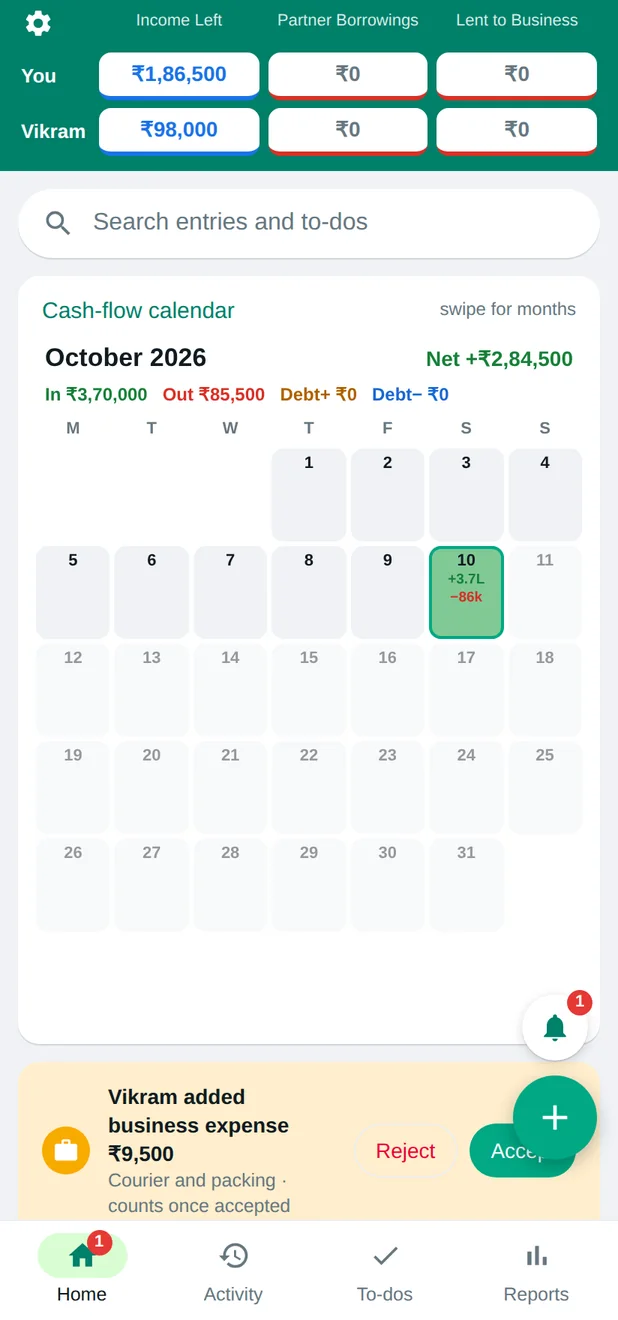
Partner Accounting: The whole business on one screen
1

The whole business on one screen

Each partner's position at the top, a cash-flow calendar of the month below it, and anything waiting for your approval at the bottom.
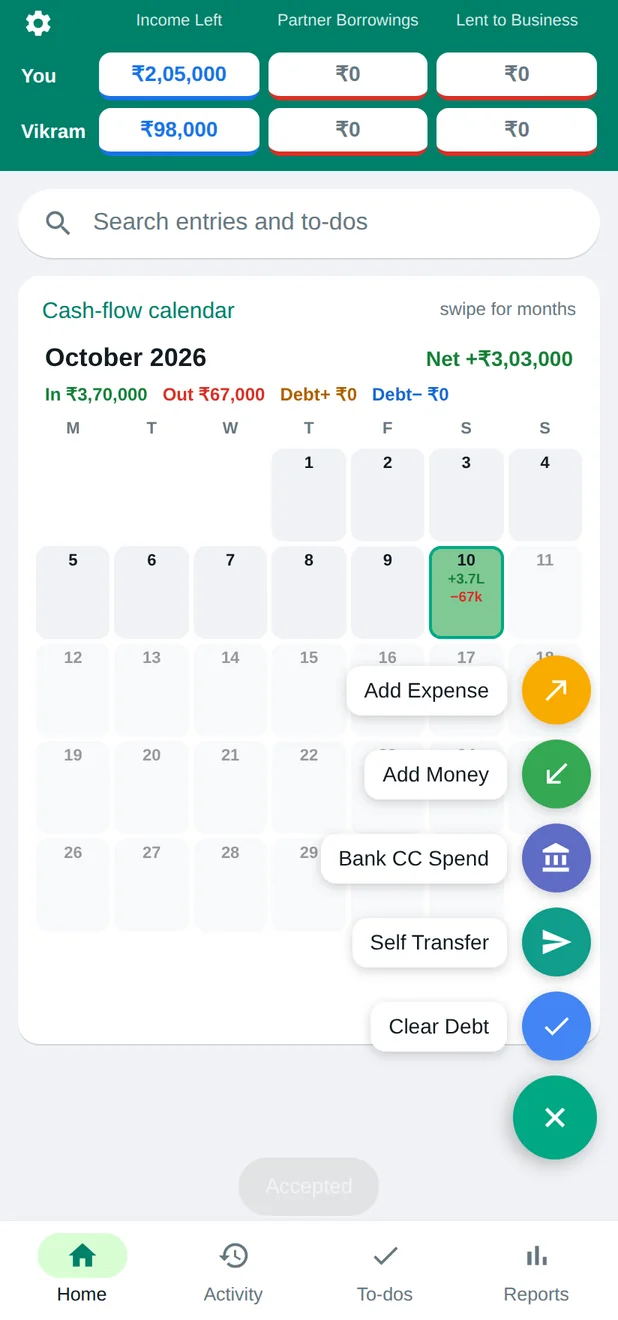
Partner Accounting: One button for every kind of entry
2

One button for every kind of entry

Add an expense, add money, a bank card spend, a transfer or a cleared debt. Each one asks only the questions it needs.
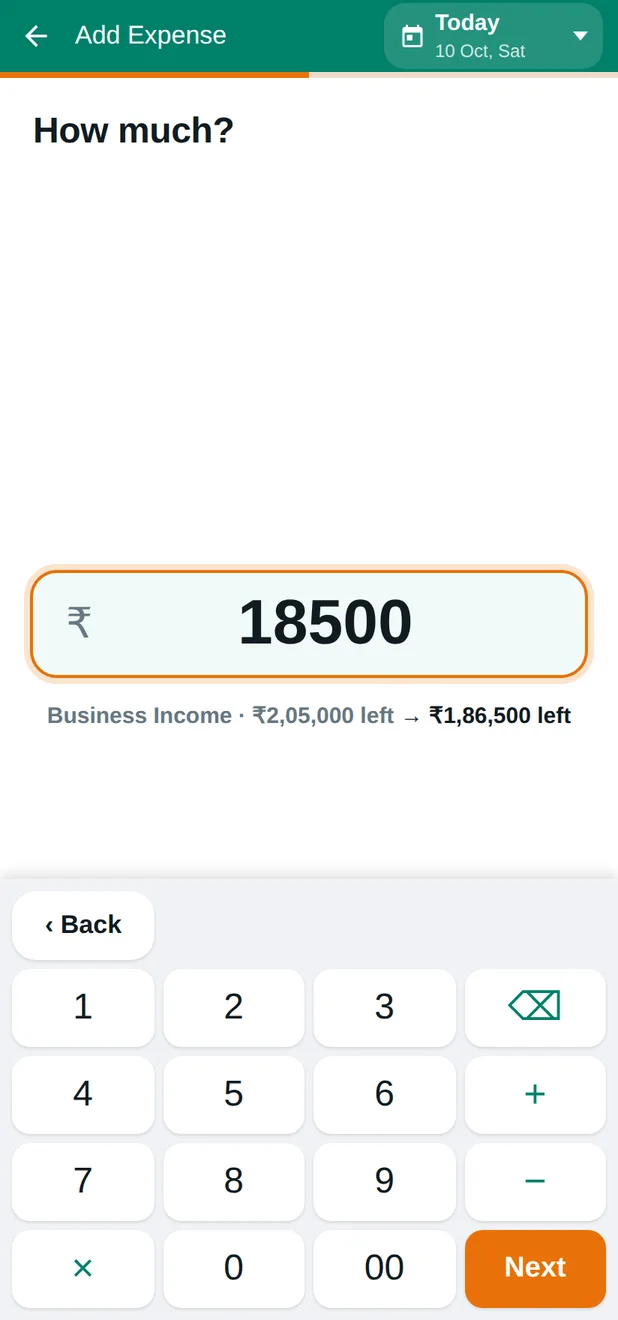
Partner Accounting: One question at a time
3

One question at a time

A large number pad made for the thumb. As you type, the app shows what will be left after this spend.
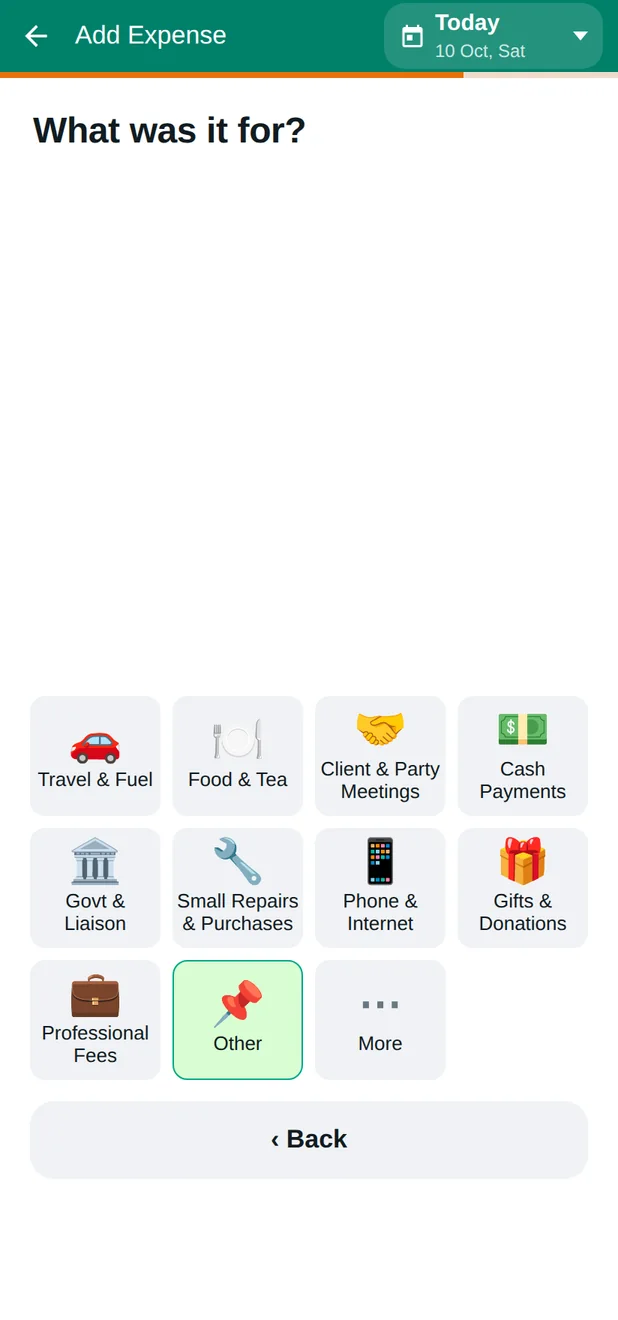
Partner Accounting: What was it for?
4

What was it for?

Tap a category or write your own note. No accounting words anywhere.
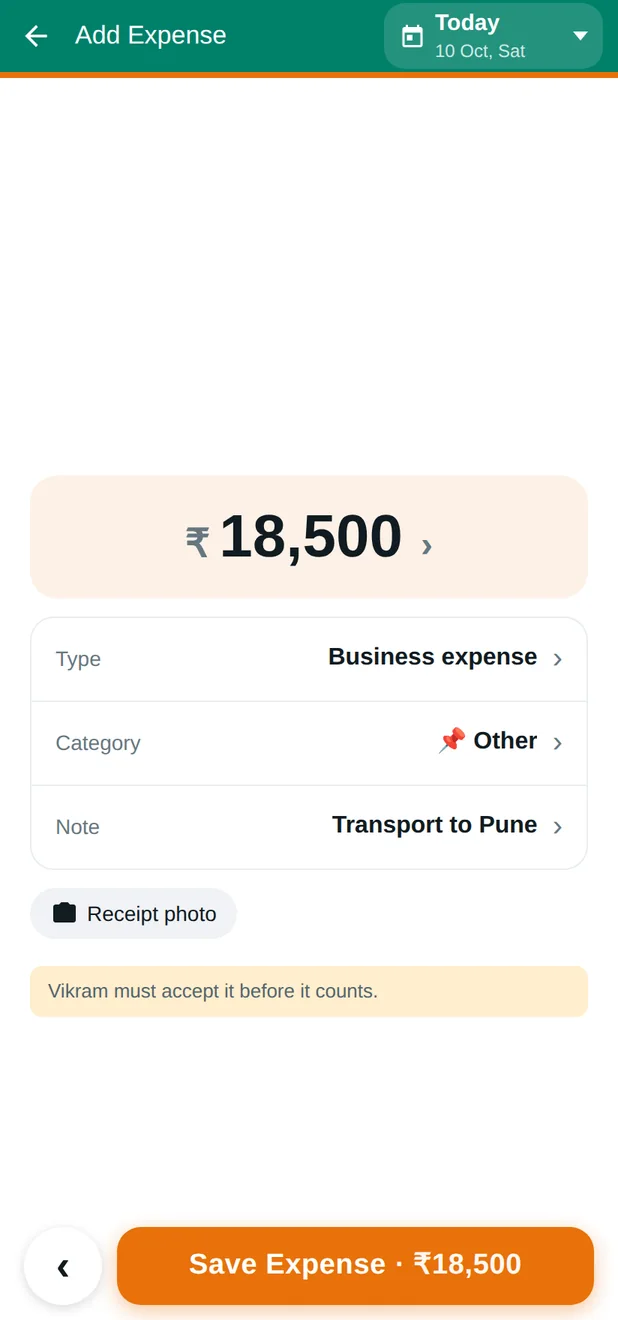
Partner Accounting: Check, then save
5

Check, then save

A plain summary before anything is saved, and a clear line saying the other partner must accept it.
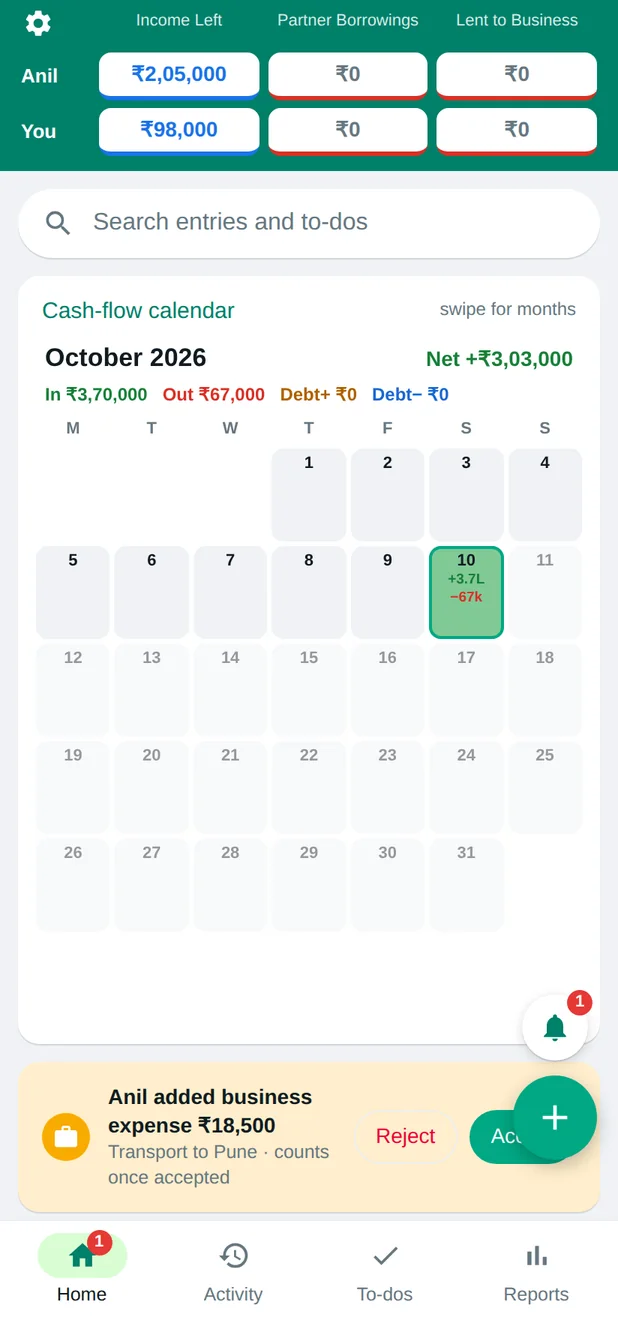
Partner Accounting: Your partner accepts or rejects
6

Your partner accepts or rejects

The other partner gets it on their own phone, with the note, and decides with one tap.
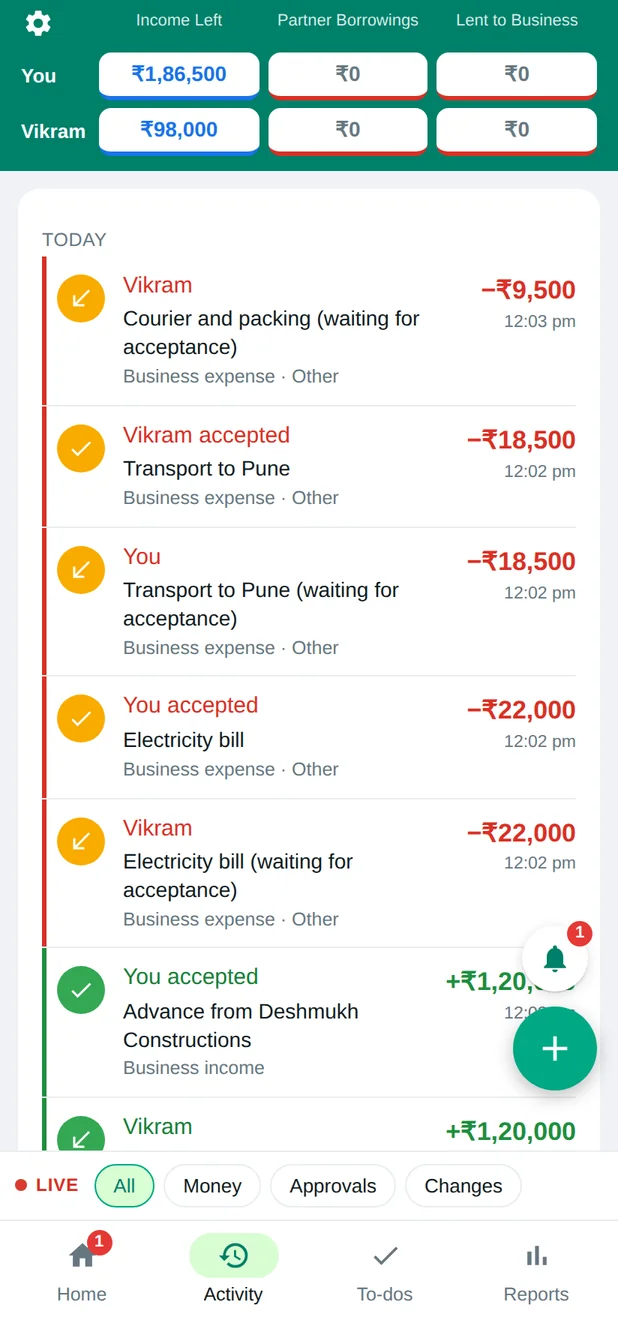
Partner Accounting: A running record
7

A running record

Every entry in order, marked accepted or waiting, with filters for money, approvals and changes.
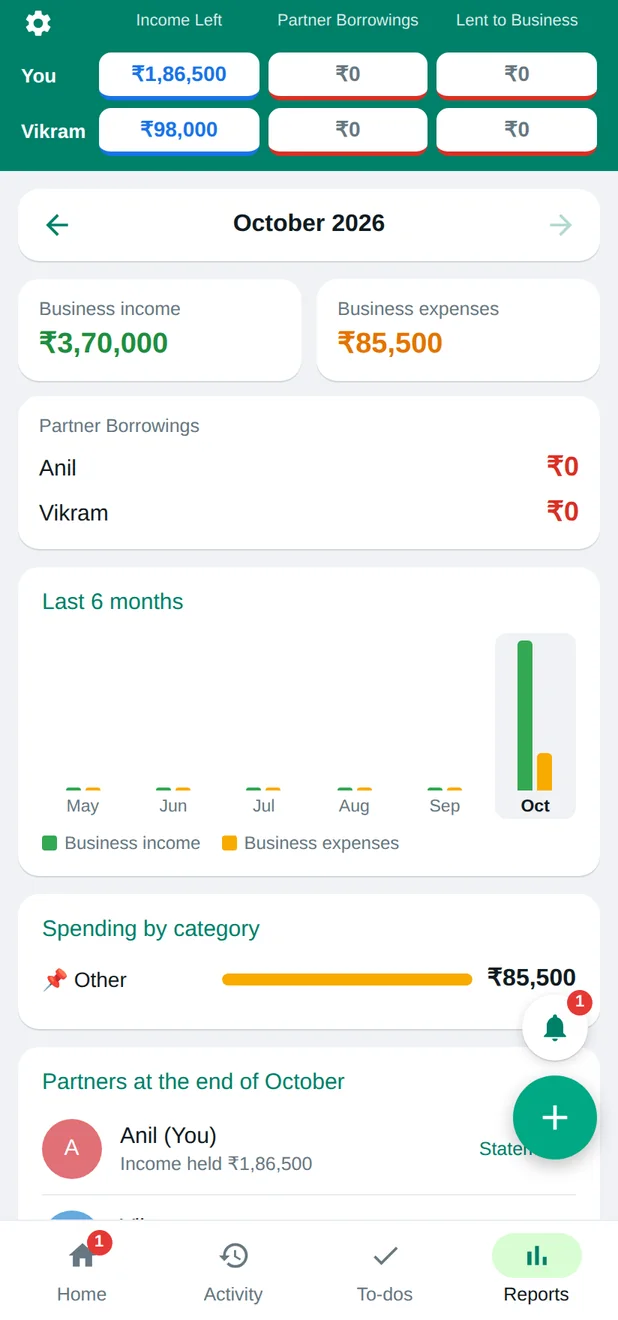
Partner Accounting: Reports without a spreadsheet
8

Reports without a spreadsheet

Income and expenses for the month, six months side by side, spending by category, and each partner's position at month end.
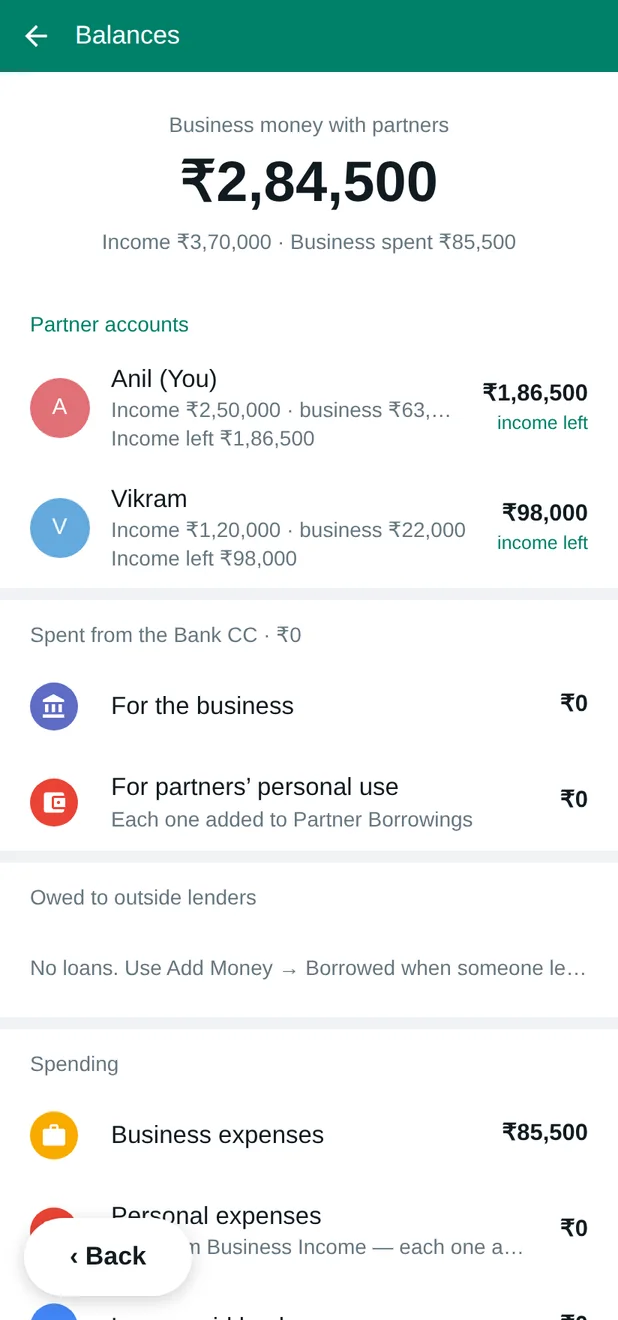
Partner Accounting: Balances explained in words
9

Balances explained in words

How much business money is with the partners, what was spent, and what is owed, written so anyone can follow it.

Made yours

Every part of it can be changed for you.

You are not buying a fixed product. Tell us how your business works and the app is shaped to fit it. Ask at any point: making it yours is included in the price, not billed as an extra.

Price

Priced so a small business can say yes.

You get the full price in writing before you decide, with the customisation included. No surprise bills afterwards.

Ask on WhatsApp Email us

More from Zerokriya

Other apps and widgets.

CalcChat Contacts Manager India Market Mood Custom apps and widgets